Damaged Screen Replacement
You never really notice how much you rely on your phone’s screen… until it cracks.
One small drop. A split second of panic. Then you’re staring at cracked or shattered screens, spider-web fractures spreading across the glass like ice on a winter windshield. Maybe the display still works. Maybe it flickers. Maybe you’re dealing with touch issues or a display not responding at all.
Whatever the case, a damaged screen is not just annoying, it disrupts your day. And in many situations, it can get worse quickly.
Let’s talk about what damaged screen replacement really involves, why acting fast matters, and how same-day service available with high-quality screens can restore your device without compromise.
Why a Damaged Screen Shouldn’t Be Ignored
A cracked phone screen might seem like a cosmetic issue at first. You can still swipe. You can still text. So why rush?
Because damage rarely stays the same.
Small cracks expand under pressure. Dust and moisture seep into exposed layers. Over time, that minor fracture can lead to:
- Dead pixels
- Ghost touches
- Screen discoloration
- Black spots spreading across the display
- Complete display failure
Think of it like driving with a chipped windshield. It works — until it suddenly doesn’t.
And if your device is an Apple iPhone, Samsung Galaxy, Google Pixel, OnePlus, Xiaomi, Huawei, Motorola, Oppo, Vivo, or Nokia, the cost of waiting can increase significantly. Modern smartphones use laminated OLED or AMOLED panels that combine glass, touch digitizer, and display into one sealed unit. Once internal layers are compromised, the repair becomes more complex.
That’s why timely damaged screen replacement is always the smarter move.
Cracked or Shattered Screens: More Than Surface Damage
When people say their phone screen is cracked, they usually mean the top glass layer is broken. But there are different levels of damage:
1. Surface Glass Crack
Only the outer glass layer is damaged. Touch and display still function normally.
2. Digitizer Damage
You experience touch issues or display not responding in certain areas.
3. LCD or OLED Failure
The screen shows:
- Vertical lines
- Black patches
- Flickering
- Discoloration
4. Complete Display Failure
The phone powers on, but the screen stays black.
Each of these requires a slightly different approach, but the solution is often the same: professional screen replacement using high-quality screens designed for your specific model.
And quality matters more than most people realise.
The Hidden Risk of Cheap Screen Replacements
Not all replacement screens are created equal.
Some repair shops use low-grade aftermarket displays to cut costs. The phone may look fine at first, but you might notice:
- Dull brightness
- Poor touch sensitivity
- Washed-out colours
- Faster battery drain
- Face ID or fingerprint sensor issues
High-quality screens, on the other hand, match the original manufacturer’s specifications for brightness, responsiveness, and durability. The difference is subtle but noticeable , especially if you use your phone daily for work, social media, or streaming.
A good repair should feel like nothing ever happened. That’s the standard customers should expect.
Same Day Service Available: Why Speed Matters
Life doesn’t pause because your screen shattered. You still have work emails. Family messages. Maps. Banking apps. Tickets. Appointments. That’s why same day service available is not just convenient , but can be life saver.
Most modern screen replacements, especially for popular models like:
- iPhone 11, 12, 13, 14, 15, 16, and 17 series
- Samsung Galaxy S and A series
- Google Pixel models
- Popular Xiaomi and Huawei devices
These can be completed within 30–90 minutes.
- No shipping delays.
- No waiting a week.
- No borrowing someone else’s phone.
Drop it off. Grab a coffee. Come back to a fully restored device. And that peace of mind? you deserve it.
What Happens During a Screen Replacement?
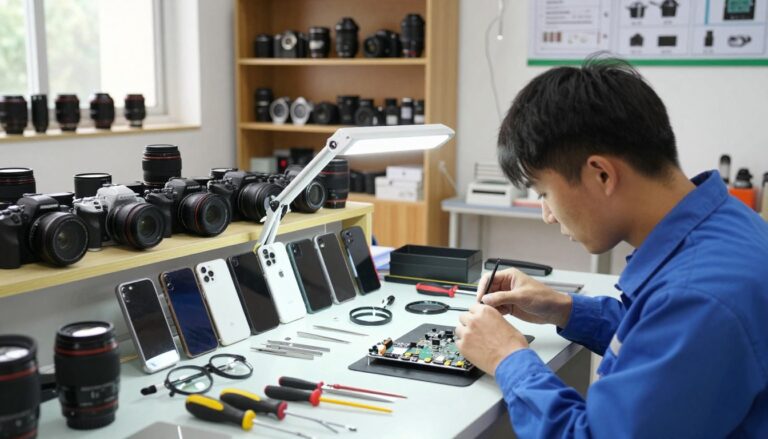
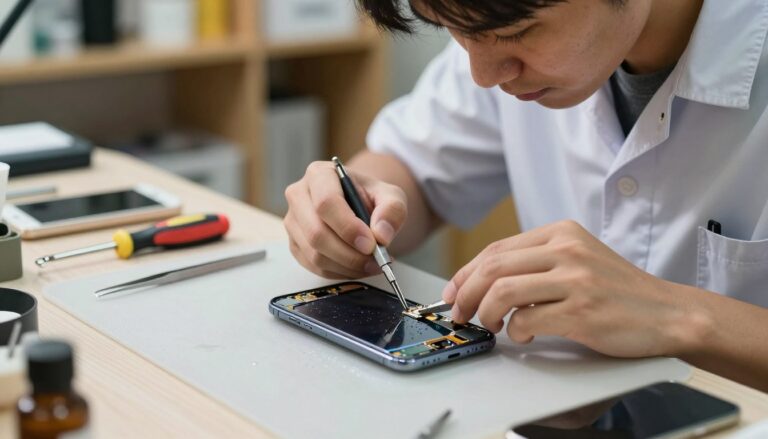
Many customers imagine repairs as risky or invasive. In reality, professional damaged screen replacement follows a precise process.
Here is a simplified breakdown:
- Device Inspection: Check for frame damage, internal issues, or water exposure.
- Careful Disassembly: Using heat and precision tools to separate the broken display safely.
- Component Transfer: Moving sensors, cameras, and biometric modules where required.
- Installation of High-Quality Screens: Carefully aligning and sealing the new display.
- Testing Phase Checks: Touch sensitivity, Display brightness, Face ID / fingerprint, Front camera, Proximity sensor
- Final Quality Check: A properly done repair restores both function and structural integrity. and when done right, it’s almost impossible to tell the phone was ever damaged.
Touch Issues or Display Not Responding? Don’t Assume It’s Dead
Sometimes the screen looks fine, but it won’t respond. You tap. Nothing happens. Or the phone opens apps on its own.
These touch issues or display not responding problems usually indicate digitizer damage or internal screen failure. It’s common after drops, even if the glass doesn’t shatter dramatically.
In most cases, a screen replacement resolves:
- Unresponsive sections
- Lagging touch
- Ghost typing
- Random app launches
The key is proper diagnosis before assuming the worst.
Compatible Brands and Models
Professional repair services typically cover:
- Apple iPhones (from older models to the latest releases)
- Samsung Galaxy devices
- Google Pixel series
- OnePlus smartphones
- Xiaomi and Redmi devices
- Huawei handsets
- Motorola models
- Oppo, Vivo, and Nokia
Each brand has different screen technologies, from IPS LCD to Super AMOLED to OLED LTPO panels , so precision and correct parts are critical.
You wouldn’t put diesel in a petrol engine. The same logic applies to screens.
Signs You Need Immediate Screen Replacement
If you notice any of the following, don’t delay:
- Glass shards coming loose
- Screen flickering
- Green or purple lines
- Dark patches spreading
- Overheating near the display
- Touch response failing intermittently
These are indicators the damage is progressing. Quick action prevents further internal harm.
Protecting Your New Screen
Once you’ve had your damaged screen replacement completed, a few smart habits help prevent repeat issues:
- Install a tempered glass protector
- Use a shock-absorbing case
- Avoid keeping your phone in back pockets
- Keep away from extreme temperatures
Prevention is cheaper than repair costs.
Cost vs. Replacement: Is It Worth Fixing?
A common question: “Should I just buy a new phone?”. In many cases, replacing a cracked or shattered screen costs significantly less than upgrading, especially for premium models. If the internal components are functioning well, a screen repair can extend your device’s life by years. And in today’s economy, extending value makes sense.
Choosing the Right Repair Service
When selecting a repair provider, look for:
- Clear pricing
- Warranty on parts and labour
- Same-day service available
- Use of high-quality screens
- Strong local reputation
Trust and transparency matter.
Your phone holds your photos, conversations, business data, and personal life. It deserves careful handling.
Conclusion: Restore, Don’t Replace
A broken screen feels like a disaster in the moment. But it doesn’t have to be.
Whether you’re dealing with cracked or shattered screens, frustrating touch issues or display not responding, or visible display failure, professional damaged screen replacement offers a fast, cost-effective solution.
With same day service available and the use of high quality screens, your device can look and function like new again, often repair is completed within an hour.
One drop doesn’t have to mean the end. It just means it’s time for a proper repair.
Frequently Asked Questions
1. How long does a screen replacement take?
Most standard models can be repaired within 30–90 minutes, depending on availability and complexity.
2. Will my data be lost during screen replacement?
No. Screen repairs do not affect your internal storage or data.
3. Are high quality screens the same as original screens?
High quality screens match manufacturer specifications in brightness, responsiveness, and durability.
4. What if my screen is completely black?
If the phone powers on but the display is black, it’s likely a display failure that can be resolved with replacement.
5. Is it safe to keep using a cracked screen?
It’s not recommended. Cracks can worsen, cause injury, or lead to internal damage.
If your screen is damaged, don’t wait for it to fail completely. A fast, professional replacement can restore clarity, performance, and peace of mind, and all in a single visit.