Charging Port & Battery Repair
There’s nothing quite as frustrating as plugging in your phone and nothing happens. Or even worse, it charges to 60%, then drops to 12% before lunchtime. Maybe your battery is draining fast, or your phone is shutting down randomly even though it showed 30% just minutes ago. You might have even seen those dreaded battery health “warnings” pop up on your screen.
When your phone starts behaving like this, it’s not just annoying — it disrupts your day. Messages get missed. Navigation cuts out mid-journey. Important calls die at the worst moment. The good news? In most cases, charging port and battery problems are completely fixable. And when handled correctly, your device can feel almost brand new again.
Let’s break down what’s happening, why it happens, and what you can do about it.
Why Your Battery Is Draining Fast
A smartphone battery isn’t designed to last forever. Like any rechargeable battery, it degrades over time. Think of it like a car tyre, every charge cycle wears you battery down just a little bit more.
If your battery is draining fast, it could be caused by:
- Natural battery wear after 1–3 years of use
- Overheating due to heavy apps or gaming
- Frequent fast charging
- Background apps constantly refreshing
- Software updates stressing an older battery
- Internal battery swelling or damage
Apple iPhones, Samsung Galaxy devices, Google Pixel phones, and other brands like OnePlus, Xiaomi, Huawei, Motorola, Oppo, Vivo, and Nokia all use lithium-ion batteries. While reliable, they all degrade eventually.
Most lithium-ion batteries are designed for around 300–500 full charge cycles. After that, capacity begins to noticeably drop. That’s when you start charging twice a day instead of once. That’s when you notice it doesn’t quite hold up anymore.
And that’s often when people think they need a new phone. But usually, they don’t.
Phone Shutting Down Randomly? Here’s What It Means
If your phone is shutting down randomly, especially when the battery percentage still shows 20–40%, that’s a strong sign your battery can no longer deliver stable power.
Here’s why that happens:
As batteries age, their internal resistance increases. When your phone demands more power say, while opening the camera or launching an app, the battery can’t supply it quickly enough. The voltage drops. The phone protects itself by shutting off. It is not a software glitch. It’s a failing battery struggling to keep up.
Common signs include:
- Phone switches off in cold weather
- Device powers down at 20–30%
- Restart loops
- Slower overall performance
- Unexpected reboots during calls or video recording
Apple iPhones may display performance management notifications. Samsung Galaxy and other Android devices might not always show explicit warnings, but to a trained eye, the symptoms are similar.
If this sounds familiar, a battery replacement is often the simplest and most cost-effective fix.
Understanding Battery Health “Warnings”
Modern smartphones try to warn you before things get serious. On iPhones, you’ll see Battery Health in settings. If it drops below 80%, Apple considers the battery significantly degraded. You may also see a service message.
Android devices vary by brand. Some Samsung Galaxy models provide battery diagnostics in settings. Others require third-party tools. But signs of deterioration often appear before official warnings.
Battery health “warnings” can include:
- Reduced maximum capacity
- Slower charging speed
- Performance throttling
- Increased heat during use
- Sudden drops in percentage
These warnings aren’t meant to scare you. They’re simply telling you the battery can’t perform at full strength anymore.
And that’s fixable.
Charging Port Problems: The Overlooked Culprit
Sometimes the issue isn’t the battery at all.
If your phone only charges when you hold the cable at a certain angle, or it connects and disconnects repeatedly, the charging port may be damaged or clogged.
This is extremely common across all brands, such as Apple iPhones, Samsung Galaxy, Google Pixel, Xiaomi, Huawei, Motorola, Oppo, Vivo, and Nokia included.
Over time, pocket lint, dust, and debris compact inside the port. It’s surprising how much builds up. Eventually, the charging cable can’t fully connect.
Other causes include:
- Bent internal charging pins
- Corrosion from moisture exposure
- Loose port soldering
- Wear from constant plugging and unplugging
A damaged charging port can mimic battery problems. The phone may appear to lose charge quickly simply because it never charged properly in the first place.
That’s why proper diagnosis matters.
How Professionals Diagnose Battery & Charging Issues
A reputable repair service doesn’t just guess. Before replacing anything, our technicians typically:
- Run battery health diagnostics
- Check charging amperage
- Inspect the charging port under magnification
- Test with known-good charging cables
- Assess software and background activity
- Check for signs of battery swelling
This process ensures the real problem is addressed , not just the symptom. For example, if your battery is draining fast because of a failing cell, replacing the charging port won’t solve it. Likewise, replacing a battery won’t fix a broken charging connector. A thorough check avoids unnecessary costs and repeat visits.
Why Quality Matters in Battery Replacement
Not all replacement batteries are created equal. You might find extremely cheap options online, but poor-quality batteries can:
- Overheat
- Swell prematurely
- Cause inaccurate battery readings
- Drain quickly despite being new
- Damage internal components
That’s why reputable repair centres emphasise: We use safe, tested replacement batteries only.
Safe, tested replacement batteries are:
- Manufactured to strict safety standards
- Voltage and capacity matched to the device
- Tested before installation
- Installed with professional tools
- Backed by warranty
Cutting corners here isn’t worth it. Your phone holds your data, photos, banking apps, and personal information. It deserves reliable components.
What to Expect During a Battery Repair
Battery replacement isn’t just about swapping parts, modern smartphones are tightly sealed. Apple iPhones use strong adhesive and specialised screws. Samsung Galaxy and Google Pixel devices often require careful heating to separate the back glass. Some Xiaomi, Oppo, and Huawei models are particularly delicate.
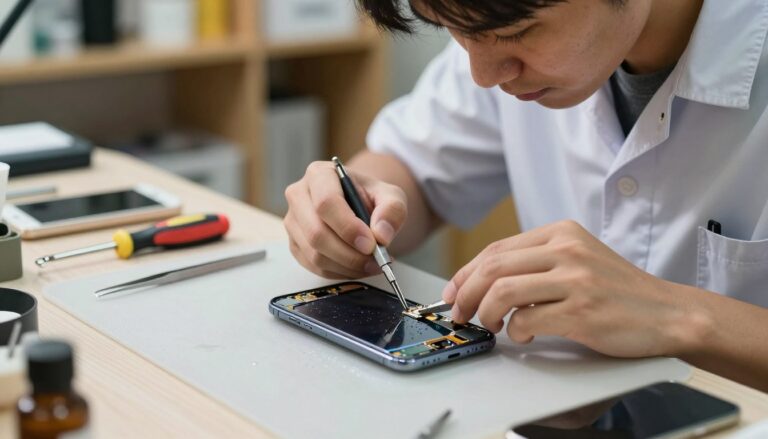
A professional repair includes:
- Careful device disassembly
- Safe removal of the old battery
- Cleaning internal adhesive
- Installing a safe, tested replacement battery
- Reassembly with proper sealing
- Post-repair testing
In most cases, the repair takes between 30 minutes and 2 hours, depending on the model. And the difference afterward? is immediate, better standby time, Stable performance and no more random shutdowns.
Charging Port Repair: Precision Work
Charging port repairs can be slightly more complex. Some phones have modular charging ports that can be replaced separately. Others require micro-soldering directly onto the motherboard.
A proper charging port repair involves:
- Removing debris safely
- Inspecting under magnification
- Testing the board connection
- Replacing the charging flex assembly if needed
- Soldering with precision (when required)
Done correctly, your cable should click firmly into place and charge consistently without movement. No more wiggling the cable at awkward angles.
Signs You Shouldn’t Ignore
If you’re unsure whether you need battery or charging port repair, look for these red flags:
- Battery draining fast even in standby
- Phone shutting down randomly
- Battery health “warnings” in settings
- Phone overheating during charging
- Charging cable feels loose
- Device takes hours to reach 50%
- Swollen screen lifting slightly from the frame
That last one is important. A swollen battery can push against the display. If you notice screen lifting, stop using the device and seek professional repair immediately. When it comes to batteries, safety always comes first.
Is It Worth Repairing Instead of Replacing?
In many cases, yes. A battery replacement is significantly cheaper than buying a new phone. Especially with flagship devices like Apple iPhones, Samsung Galaxy Ultra models, or Google Pixel Pro devices.
If your phone works well, you have good camera, smooth performance, no major damage, then replacing the battery can extend its life by one to three years.
That is a practical and environmentally responsible decision. It also avoids the hassle of transferring data, re-installing apps, and learning a new device.
Maintaining Your New Battery
After repair, you can extend battery life by:
- Avoiding extreme heat
- Using certified charging cables
- Not letting the battery drop to 0% regularly
- Avoiding overnight charging every night
- Keeping software updated
- Limiting unnecessary background apps
Lithium-ion batteries prefer moderate use. Think 20% to 80% as a comfortable range. Remember, small habits make a big difference over time.
Brands We Commonly Repair
Charging port and battery repair is available for most major brands, including:
- Apple iPhones, Samsung Galaxy, Google Pixel, OnePlus, Xiaomi, Huawei, Motorola, Oppo, Vivo, and Nokia
Each brand has unique internal designs, but the underlying battery and charging principles remain similar. Experience with multiple models ensures safe handling and precise repair.
Conclusion: Restore Power, Restore Peace of Mind
When your battery is draining fast, your phone is shutting down randomly, or you’re seeing persistent battery health “warnings,” it doesn’t automatically mean it’s time for a new device. Often, a professional battery or charging port repair is all that’s needed.
With proper diagnostics and the reassurance that we use safe, tested replacement batteries only, you can regain reliable performance without the cost of upgrading. Your phone should work for you, not against you. And when your phone is powered properly, it will properly.
Frequently Asked Questions
1. How long does a battery replacement last?
A high-quality replacement battery typically lasts 1–3 years, depending on usage and charging habits.
2. Will replacing the battery improve performance?
Yes. If your phone was throttling due to poor battery health, performance often improves noticeably after replacement.
3. Is it safe to replace a charging port?
When done by experienced technicians using proper tools, charging port repair is safe and reliable.
4. Can a bad charging port damage my battery?
Yes. Inconsistent charging or poor electrical contact can strain the battery over time.
5. Should I replace my phone instead?
If the device is otherwise functioning well, battery and charging port repair is usually far more cost-effective than buying new.
If your device isn’t holding power the way it used to, don’t ignore the signs. A simple repair could give your phone a second life, and save you money in the process.