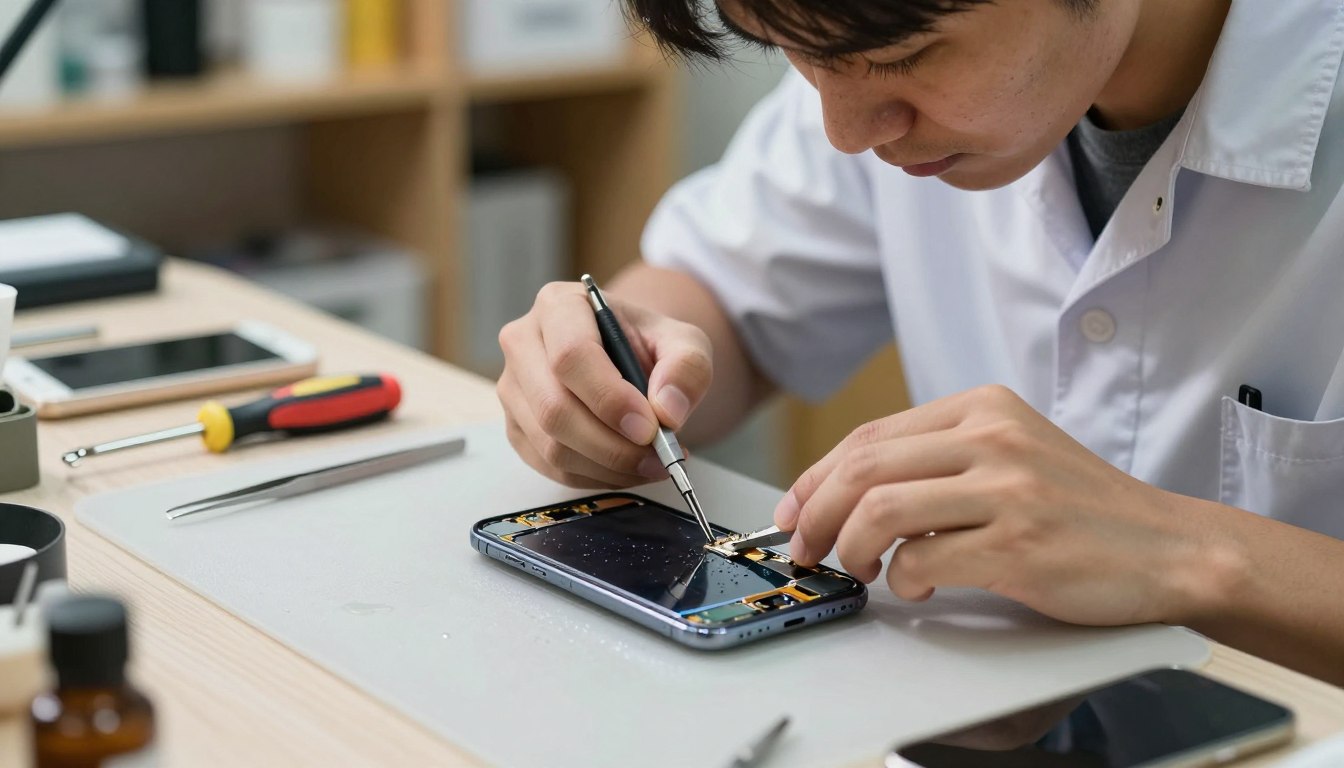
Expert Water Damage Phone Repair
Getting your phone wet can really mess it up. It might stop working or even break completely.
Things like spilling drinks, getting caught in the rain, or dropping it in the loo can cause big problems. These accidents need a pro to fix.
Specialist repair teams know how to fix phones damaged by water. They check your phone carefully and clean out any corrosion.
Key Takeaways
- Expert services are crucial for fixing liquid-damaged phones.
- Common causes of water damage include spills, rain, and accidental drops.
- A thorough inspection is necessary to identify and address all damage.
- Corrosion cleaning is a critical step in the repair process.
- Professional repair can restore your device to full functionality.
Understanding Water and Liquid Damage to Mobile Phones
It’s important to know how water and liquid damage can harm mobile phones. When a phone meets water, it can face many problems. These can range from small issues to making the phone completely useless.
How Water Affects Your Smartphone’s Internal Components
Water can get into a phone in many ways, like falling into water or getting wet in the rain. Once inside, it can seriously damage the phone’s parts. Corrosion is a big worry because water can harm the metals in the phone’s circuits. It can also cause short circuits, stopping the phone from working right away.
Different Types of Liquid Damage and Their Severity
Not all liquid damage is the same. The harm it causes can vary a lot, depending on the liquid. For example:
- Fresh water damage is usually less bad than saltwater damage because it’s less conductive and corrosive.
- Saltwater damage is worse because it’s more conductive and corrosive.
- Other liquids, like soda, coffee, or juice, can also damage phones. The harm they cause depends on their sugar, acidity, and other factors.
Quick action is key to reducing damage. Knowing the type of liquid and how much damage it caused is important for fixing the phone.
Common Causes of Mobile Phone Water Damage
Accidents with liquids are a big threat to mobile devices. This can happen at home, in the office, or outside. The chance of your phone getting wet is always there.
Accidental Spilled Drinks on Your Device
Spills are a common reason for water damage on phones. A coffee spill, a glass of water, or any liquid can harm your device. Quick action, like turning off your phone and drying it, can help.
Rain Exposure and Outdoor Water Damage
Rain or accidental water submersion outdoors can also damage phones. If your phone isn’t in a waterproof case, the risk is higher. Knowing your phone or case’s IP ratings helps understand its water protection.
Toilet Drops and Submersion Incidents
Drops into toilets or water bodies are another common cause of damage. The damage can be severe because of the risk of long exposure to contaminated water. This makes fixing a water damaged phone harder.
In summary, knowing these common causes helps prevent damage. It also teaches us how to act when accidents happen. This can lower the need for water damaged phone solutions.
Immediate Actions When Your Phone Gets Wet
When your phone gets wet, every second is crucial. The first steps you take can decide if your phone can be fixed. This is key for repair water damaged smartphone services.
Step 1: Power Off Your Device Immediately
The first thing to do is turn off your phone right away. This stops short circuits that can harm your phone’s inside parts. Don’t try to turn it on or check if it’s working, as this can make things worse.
Step 2: Remove External Components and Accessories
Then, take off any parts like the SIM card, SD card, and phone case. This stops water from getting trapped between your phone and its accessories. It also lowers the chance of corrosion.
Step 3: Dry the Exterior Safely
Use a soft cloth to gently dry the outside of your phone. Don’t shake or blow into it, as this can push water inside. For the small spaces, use a desiccant or uncooked rice to soak up the moisture. Don’t use a hair dryer, as it can harm your phone’s inside parts.
| Immediate Action | Purpose | Precautions |
|---|---|---|
| Power Off Device | Prevent short circuits | Avoid turning it back on |
| Remove Accessories | Reduce risk of corrosion | Remove SIM, SD card, and case |
| Dry Exterior | Absorb moisture | Avoid using heat sources |
Initial Assessment of Water Damaged Phones
Water damage can be hard to spot, so it’s key to check your phone carefully. This step helps figure out how bad the damage is. It also shows what repairs are needed for a good liquid spill phone repair.
Checking for Visible Water Damage Signs
Start by looking for signs of water inside your phone. Look for corrosion, water stains, or mineral deposits. Also, check the charging port and headphone jack for damage or corrosion.
Testing Water Damage Indicators
Most phones have special indicators that change colour when wet. These are often in the SIM card slot or near the battery. If these indicators have changed colour, it means your phone got wet.
To really understand the damage, try using your phone. See if it turns on, if the screen works, and if the speakers sound right. This will help you see how much damage there is.
| Assessment Criteria | Signs of Water Damage | Implications |
|---|---|---|
| Visible Inspection | Corrosion, water stains, mineral deposits | Potential damage to internal components |
| Water Damage Indicators | Colour change in indicators | Confirmation of water exposure |
| Functionality Test | Unresponsive screen, distorted sound | Extent of damage to phone’s functionality |
Conducting a Full Internal Inspection
To fix a water-damaged phone, you need to check it inside out. This step-by-step process helps find out how bad the damage is. It also tells you how to fix it right.
Tools Required for Professional Phone Inspection
You’ll need special tools to look at a water-damaged phone’s inside. These include small screwdrivers, plastic spudgers, tweezers, and anti-static wrist straps. These tools help avoid harming the phone’s delicate parts.
The table below outlines the essential tools and their uses:
| Tool | Purpose |
|---|---|
| Precision Screwdrivers | Removing screws of various sizes |
| Plastic Spudgers | Prying open the device without causing damage |
| Tweezers | Handling small components |
| Anti-static Wrist Straps | Preventing static electricity damage |
Safely Opening Your Water Damaged Smartphone
Opening a water-damaged phone needs care to avoid more harm. First, take out the SIM card and any other parts. Then, use the right tools to take it apart, following repair guides for your phone model.
Identifying Corrosion and Component Damage
After opening, look at the inside parts for corrosion or damage. Corrosion looks like green or white stuff on the logic board and other parts. It’s important to see how bad it is to know what to do next.
Key areas to inspect include:
- The logic board and its components
- Connectors and ports
- Battery and charging circuitry
Inspecting the Logic Board and Connectors
The logic board is very important and often gets damaged by water. Look for corrosion on the board and check the connectors for damage. You might need to clean or replace these parts to fix the phone.
By following these steps and using the right tools, you can do a detailed check. This helps you fix the phone right. For tricky repairs, getting help from a wet phone repair service is a good idea.
Professional Corrosion Cleaning Techniques
Reviving a water-damaged cell phone needs special cleaning methods. Experts know how important careful cleaning is to make it work again.
Preparing Your Workspace for Corrosion Removal
First, set up a good workspace for cleaning. Make sure it’s well-ventilated, free from static, and has all the tools and cleaners you need. A static-free environment helps avoid more damage to the phone’s parts.
Using Isopropyl Alcohol for Cleaning
Isopropyl alcohol is great for cleaning corroded parts. It breaks down and removes corrosion without leaving any behind. Always be careful when using it and make sure the area is well-ventilated.
Ultrasonic Cleaning Methods
Ultrasonic cleaning is another method used by experts. It uses sound waves to create a cleaning solution that gets into tight spots and removes tough corrosion. It’s very good for cleaning hard-to-reach areas.
Removing Stubborn Corrosion from Circuit Boards
Getting rid of stubborn corrosion on circuit boards takes time and the right methods. Experts use a mix of isopropyl alcohol and gentle brushing. Sometimes, ultrasonic cleaning is used for a deeper clean.
Using these professional cleaning methods, experts can greatly increase the chances of fixing a water-damaged phone. They can make it work like new again.
Water & Liquid Damage Mobile Phone Repair Process
Fixing a water-damaged smartphone is a detailed process. It involves several steps to get your phone working again. Each step is important to ensure your phone is fixed properly.
Disassembling the Device Completely
The first thing to do is take apart the phone completely. This means removing the outer casing, battery, SIM card, and other parts. It’s vital to handle these parts carefully to avoid more damage.
Repair experts say, “The disassembly process needs patience and focus. It’s important to check all parts that might have been damaged.”
Cleaning All Affected Components
After taking the phone apart, clean all parts that got wet. Use special cleaners like isopropyl alcohol to get rid of corrosion or dirt.
“Cleaning is key in fixing the phone,” experts say. A good clean can really help the repair succeed.
Replacing Damaged Parts
Next, replace any parts that got damaged. This might include the logic board, connectors, or other important parts. These parts need to be fixed or replaced.
- Find out which parts are damaged by checking them carefully.
- Get new parts that fit your phone.
- Put in the new parts correctly.
Reassembling and Testing Functionality
The last step is to put the phone back together and check if it works. Put all the parts back, making sure they’re connected right.
Experts say, “It’s very important to test the phone after putting it back together. This makes sure everything is working right.”
By doing these steps, a repair shop can fix a water-damaged phone. This way, your phone will work like it did before.
When to Seek Professional Repair Services
Some water damage repairs can be done at home. But, there are times when you need a professional. Water damage to mobile phones is complex. Trying to fix it yourself can cause more harm.
Complex Repairs Beyond DIY Capabilities
Some repairs are too hard for the average person. This is true for complex parts like the logic board or when there’s a lot of corrosion. Professional repair services have the tools and expertise to fix these issues. They make sure your phone works again.
For example, if water damage hits the phone’s internal circuitry, a pro can use special tools. They can clean corrosion with ultrasonic cleaners without harming the parts. DIY methods can’t match this precision.
Warranty and Insurance Considerations
If your phone is still under warranty or covered by insurance, DIY repairs can ruin it. It’s crucial to check your warranty or insurance policy before fixing anything. Professional services can work within these policies, keeping you covered.
Choosing a Water Damaged Cell Phone Specialist
When you decide to get professional help, picking a reliable specialist is key. Look for services with experience in water-damaged phones and a good reputation. Check for reviews and ask about their repair processes to make sure they can handle your device.
A trusted repair service will give you a clear diagnosis, a detailed repair quote, and a warranty. This openness and guarantee mean you can relax, knowing your phone is in good hands.
Preventing Future Water Damage to Your Mobile Phone
Water damage to mobile phones can be prevented with the right steps. As we use our smartphones more, it’s key to know how to keep them dry. This helps avoid damage from water.
Waterproof Cases and Protection Options
Using a waterproof case is a great way to protect your phone. These cases add an extra layer of defence against water and spills. Look for a case with a good IP rating to know its level of protection.
Key Features to Look for in a Waterproof Case:
- Seal integrity to prevent water ingress
- Material durability to withstand various conditions
- Accessibility to all phone features and ports
Understanding IP Ratings
IP ratings show how well a device can handle dust and water. The first digit is for dust, and the second is for water. For example, an IP68 rating means it’s safe from dust and can handle being underwater for up to 30 minutes.
| IP Rating | Description |
|---|---|
| IP67 | Protected against immersion up to 1 meter |
| IP68 | Protected against immersion beyond 1 meter |
| IP69 | Protected against powerful jets of water |
Best Practices for Phone Safety
Using protective cases is just the start. Being careful with your phone’s environment is also key. Avoid water and make sure all ports are closed when near it.
Additional Tips for Phone Safety:
- Avoid using your phone near water or in humid conditions
- Regularly inspect your phone for any signs of damage
- Use a phone holder or pouch when near water
By following these tips, you can keep your phone safe from water damage. This ensures it stays in good working order.
Conclusion
Water damage can be really bad for mobile phone users. But, quick and expert repair can fix your phone. We’ve looked at why water damage happens, what to do if your phone gets wet, and how to repair it.
Knowing the dangers of water and taking steps to protect your phone can help. Use waterproof cases and understand IP ratings. These actions can lower the chance of damage.
If your phone gets wet, getting it fixed by a pro is a good idea. A specialist can make your phone work like new again. With the right care, your phone will stay safe and reliable.